.svg)
Quality control checklist app for offline teams | photo verification guide
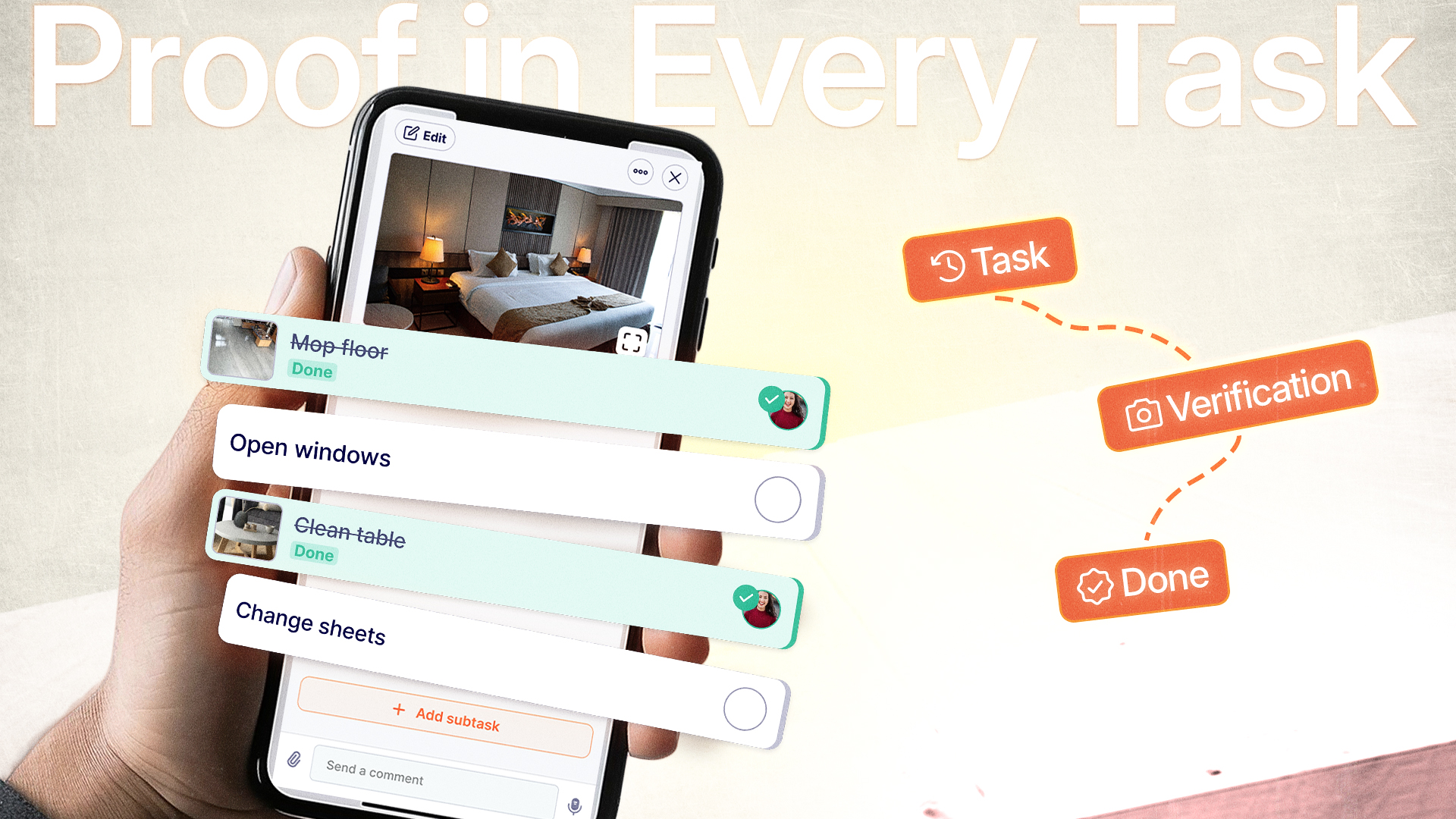
You hired quality inspectors. You created checklists. You explained the standards several times.
Yet you discover products shipped with defects. Compliance violations surface during an audit. A client dispute emerges without any visual evidence to back your team's claim they checked everything.
Most of these operations rely on offline, local teams working in warehouses, fields, and job sites where connectivity and language support are weak.
A quality control checklist app with built-in photo verification transforms this liability into an asset, giving you timestamped evidence and accountability across language barriers.
Why manual QC processes fail for multilingual teams
Traditional paper checklists breed the exact problems you’re trying to eliminate, especially when offline local teams are doing the inspections. Your warehouse supervisor checks boxes claiming inspections happened, but without photographic evidence, you're trusting memory and intention rather than verifiable completion.
The consequences compound quickly:
- Faked inspections that looked complete on paper but missed critical defects
- Data entry errors when transcribing handwritten notes into spreadsheets
- Zero audit trail when regulatory bodies or clients demand proof of compliance
- Dispute resolution nightmares without visual evidence of product condition
- Wasted management time investigating "he said, she said" scenarios
A dedicated quality control checklist app solves these foundational issues by requiring photo documentation at each inspection point, automatically timestamping entries, and eliminating handwriting interpretation across languages.
What makes a quality control checklist app effective
Not all digital checklists deliver equal value. The difference between a glorified form builder and a genuine quality assurance tool lies in features designed specifically for verification and accountability.

Photo verification requirements
The cornerstone feature separates genuine compliance from checkbox theater. Your quality control checklist app must allow (or require) photographic evidence attached directly to specific inspection items.
When your construction foreman claims foundation measurements meet specifications, the attached photo with a timestamp shows the actual reading. When your retail manager verifies product placement matches planogram standards, the visual documentation for hospitality teams proves compliance during corporate audits.
Multilingual interface support
For expats managing diverse or offline teams, language accessibility isn't optional—it's an operational necessity. Your quality control checklist app needs AI-powered translation that presents inspection criteria in each team member's native language while maintaining consistent standards.
A Filipino construction worker sees "ตรวจสอบความแข็งแรงของโครงสร้าง" while your Mexican supervisor views "Verificar integridad estructural," but both reference the identical checkpoint with the same photo requirements. This eliminates the interpretation errors that plague multilingual staff coordination.
Offline functionality
Quality inspections happen in warehouses with spotty WiFi, construction sites without connectivity, and field locations miles from cellular towers. Your quality control checklist app must capture data, photos, and timestamps offline, then sync automatically when connection returns.
This prevents the workflow disruption where inspectors skip documentation because "the app won't load," maintaining your audit trail regardless of infrastructure limitations common in developing countries.
How photo-based QC checklists protect your business
Visual verification creates multiple layers of protection that paper processes simply cannot match. Understanding these benefits helps justify the transition from manual methods.
Brand protection through consistency
Your reputation rests on consistent quality delivery. When managing dispersed teams across multiple locations, photo verification ensures the Bangkok warehouse applies identical standards as your Mexico City operation.
Visual evidence allows you to spot inconsistencies immediately. If one location consistently photographs different inspection angles or misses specific verification points, you identify training gaps before they become customer complaints.
Compliance audit readiness
Regulatory inspections in developing countries carry unpredictable timing and severe consequences. A quality control checklist app transforms audit preparation from frantic document gathering into a simple database search.
The best quality control systems are designed by actual quality inspectors who understand workflow realities. They require minimal training disruption while maximizing verification thoroughness. Photo requirements feel natural when integrated properly, not like surveillance.
Building effective QC checklists that teams use
Creating inspection protocols requires balancing thoroughness with practicality. Overly complex checklists get ignored; oversimplified versions miss critical defects.
Focus on common failure points
Start by analyzing your actual quality issues from the past six months. Which defects appear most frequently? What compliance violations have you encountered? Design your quality control checklist app workflow around these specific vulnerabilities rather than generic templates.
Checklist design best practices:
- Limit checkpoints to 8–12 items per inspection type
- Use clear, action-oriented language for each item
- Specify exactly what photo angles are required
- Include visual examples of "pass" vs "fail" conditions
- Regular updates based on new failure patterns
Construction quality control implementation research shows focused checklists increase completion rates while reducing inspection time.
Clear pass/fail criteria with visual standards
Instead of "check product condition," specify "photograph any damage exceeding 2cm, verify expiration date is minimum 90 days future, confirm packaging seal intact with close-up photo."
This precision eliminates subjective interpretation across language and experience levels.
Key features to demand in your QC checklist solution
Not every task management platform includes quality-specific functionality. Evaluating options requires understanding which capabilities directly impact compliance verification versus generic productivity features.
Mandatory photo attachments
Your quality control checklist app must allow administrators to designate specific checkpoints as requiring photographic evidence before marking complete. This prevents the "checkbox without verification" problem that undermines manual systems.
For critical inspection points—structural integrity in construction, food safety temperatures in hospitality, product authentication in retail—photos shouldn't be optional extras but mandatory proof.
Timestamped evidence trail
Every photo captured during inspection should automatically record the exact date, time, and ideally GPS coordinates. This metadata becomes crucial during dispute resolution or compliance audits.
When a customer claims damage occurred during your warehouse handling, timestamped photos from receiving inspection prove condition upon arrival. When regulatory bodies question maintenance schedules, your inspection timestamps demonstrate consistent compliance.
Template standardization across locations
Operating multiple sites requires identical quality standards everywhere. Your quality control checklist app should allow headquarters to create master inspection templates that automatically deploy to all locations, preventing the drift that occurs when each site customizes its own checklists.
Changes to inspection protocols update simultaneously across your entire operation, ensuring the Vietnam warehouse adopts the same new checkpoint as your Brazilian facility on the same day.
Real-time progress visibility
Management needs immediate insight into inspection completion status without waiting for end-of-day reports. Field staff management effectiveness depends on visibility into whether scheduled QC checks are happening on time or falling behind.
Dashboard views showing which inspections are complete, pending, or overdue allow proactive intervention before quality issues compound.
How Tasa delivers photo-based QC for multilingual teams
Expat entrepreneurs need quality control solutions designed for the specific challenges of managing offline, multilingual local teams in developing countries. Tasa addresses these realities through picture-based task management with built‑in photo verification and offline functionality.
Picture-based instruction and verification
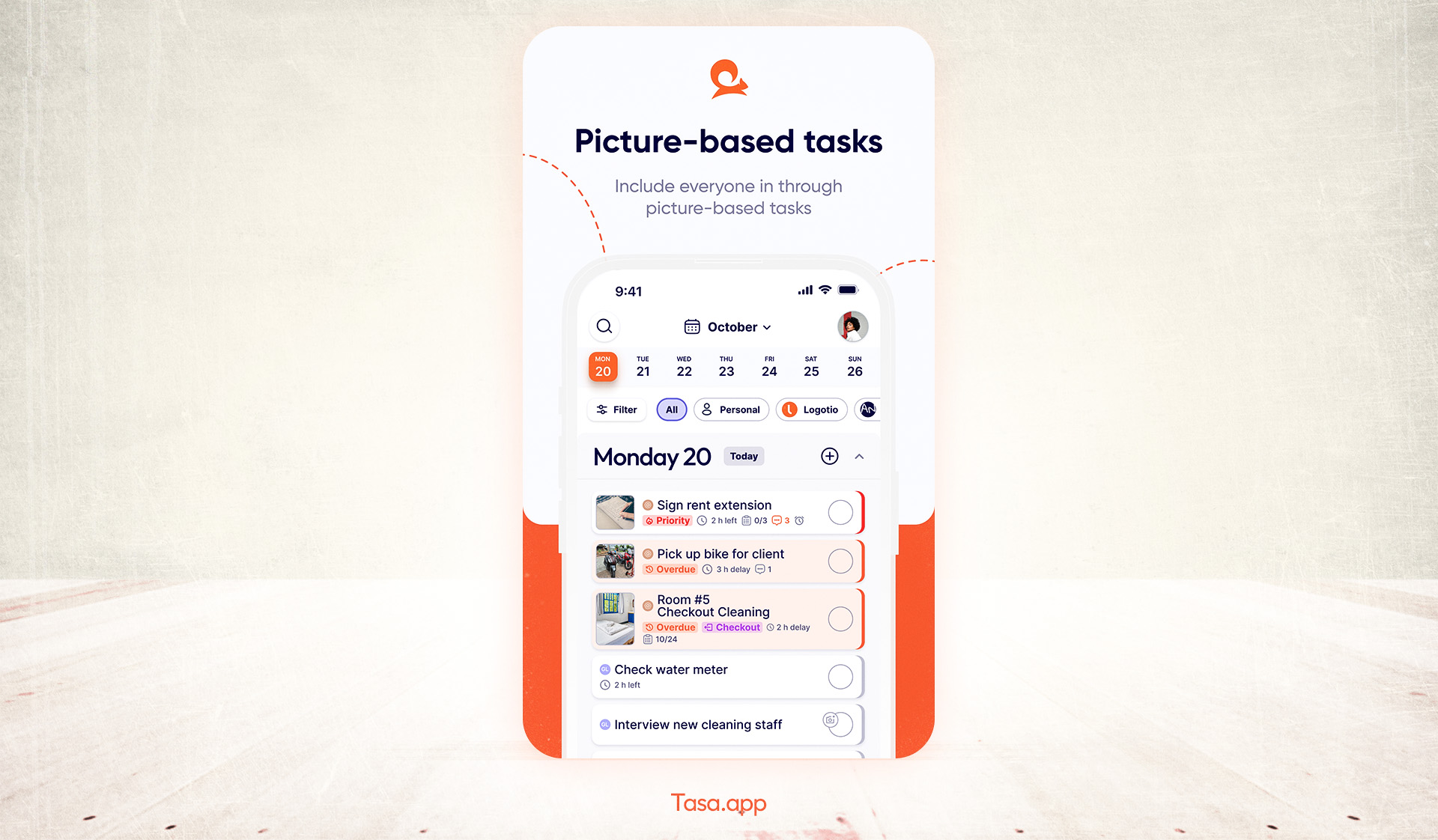
Tasa transforms quality control checklists into visual workflows. Instead of text-only instructions that get lost in translation, each inspection checkpoint includes reference photos showing exactly what to verify and how to document it.
Team members photograph their inspection results directly within each task item, creating an automatic evidence trail without disrupting natural workflow.
AI-powered multilingual support
Tasa's translation engine presents your quality control checklist app content in each team member's native language automatically. You create inspection protocols once in English; Filipino warehouse staff see them in Tagalog, Mexican supervisors in Spanish, Vietnamese inspectors in their language.
This eliminates the interpretation errors and compliance gaps that plague operations relying on bilingual supervisors to manually translate standards. Everyone works from identical requirements, just in their preferred language.

Offline-first architecture
Internet connectivity remains unreliable across developing countries. Tasa functions fully offline, capturing photos, timestamps, and inspection data without requiring active connection.
When your quality inspector works in a remote construction site or warehouse dead zone, inspections continue uninterrupted. Data syncs automatically once connectivity returns, maintaining your complete audit trail without workflow disruption.
Evidence organization and retrieval
Tasa automatically organizes inspection photos by date, location, inspector, and checkpoint type. During audits or disputes, you search by any parameter to instantly retrieve relevant visual evidence.
This organization transforms quality documentation from defensive liability protection into proactive quality improvement. Analyzing photo patterns across inspections reveals systemic issues, training opportunities, and process refinement needs.
Traditional vs. digital QC documentation
The efficiency gains become particularly dramatic for retail task management scenarios where multiple daily inspections across numerous locations generate overwhelming paper volumes under manual systems.
Industry-specific QC checklist applications
Different operational contexts require adapted inspection approaches, though the underlying photo verification principles remain constant.
Retail and warehouse quality control
Product receiving inspections, storage condition verification, and pre-shipment quality checks all benefit from mandatory photographic documentation. Your quality control checklist app captures package condition upon arrival, preventing later disputes about shipping damage versus warehouse handling issues.
Expiration date verification with photo evidence protects against both accidental distribution of expired products and false claims that you shipped outdated inventory. Comprehensive supplier quality control becomes enforceable when visual proof requirements are non-negotiable.
Construction site inspections
Foundation measurements, material quality verification, and safety compliance checks demand visual documentation that paper checklists cannot provide. When your foreman claims rebar spacing meets specifications, the photo with measuring tape visible creates indisputable evidence.
Progressive work documentation through construction management platforms with photo requirements prevents costly rework by catching specification deviations before concrete pours or wall closures make corrections exponentially expensive.
Hospitality quality assurance
Room cleanliness verification, amenity restocking confirmation, and maintenance completion documentation all rely on visual proof. When housekeeping claims a room is guest-ready, photos of bathroom condition, bed presentation, and amenity placement provide objective verification rather than subjective claims.
Implementation strategy: Rolling out photo-based QC
Transitioning from manual to digital quality control requires thoughtful change management, especially across multilingual teams with varying technology comfort levels.
Phase 1: Pilot with quality champions (Week 1–2)
Select 2–3 team members who embrace technology and understand quality standards thoroughly. Train them intensively on your quality control checklist app, refine templates based on their feedback, and document workflow best practices.
Phase 2: Departmental rollout (Week 3–4)
Expand to entire departments or locations, using your champions as peer trainers. Maintain parallel paper and digital systems briefly to prevent operational disruption while teams adapt.
Phase 3: Full implementation (Week 5–6)
Eliminate paper checklists entirely, making digital photo verification the only accepted documentation method. This forces adoption while champions provide ongoing support.
Phase 4: Optimization (Week 7–8)
Analyze completion patterns, photo quality issues, and workflow bottlenecks. Refine templates, adjust photo requirements, and implement process improvements based on real usage data.
Measuring QC improvement impact
Quantifying quality control checklist app effectiveness justifies investment and identifies ongoing optimization opportunities.
Key metrics to track include:
- Inspection completion rate (percentage of scheduled checks finished on time)
- Photo attachment compliance (percentage of checkpoints with required visual evidence)
- Defect detection rate (quality issues caught before customer delivery)
- Audit preparation time (hours required to compile compliance documentation)
- Dispute resolution speed (days from claim to conclusive evidence presentation)
- Quality trend patterns (recurring issues identified through photo analysis)
Most expat businesses implementing photo-based QC systems report 40–60% reduction in quality-related customer complaints within the first quarter, alongside 70–80% decrease in audit preparation time.
Selecting the right quality control checklist app
Evaluation criteria should emphasize practical operational needs over feature lists that sound impressive but don't address your specific quality challenges.
Essential selection questions:
- Does it function fully offline for field and remote inspections?
- Can it require mandatory photos on critical checkpoints?
- Does it offer genuine multilingual support, not just interface translation?
- How easily can you modify inspection templates without developer assistance?
- What evidence retrieval capabilities exist for audits and disputes?
- Does it integrate with your existing operational systems?
- What is the actual per-user cost including photos and storage?
Common implementation pitfalls to avoid
Learning from others' mistakes accelerates your quality control checklist app success while preventing costly false starts.
Overcomplicated initial checklists
Launching with 30-item inspection protocols overwhelms teams and guarantees poor adoption. Start with 6–8 critical checkpoints, prove value, then expand gradually based on actual quality issue patterns.
Insufficient photo requirement specificity
Demanding "take a photo" without specifying angles, distance, or content produces useless documentation. Specify exactly what each photo must show: "close-up of product label showing expiration date legibly, full package view showing damage if any."
Neglecting change management
Technology alone doesn't improve quality; changed behavior does. Invest time explaining why photo verification protects team members from false accusations while improving overall operational success.
Ignoring inspector feedback
Quality inspectors understand workflow realities that office-based managers miss. When they report that specific photo requirements disrupt critical processes, listen and adjust rather than dismissing concerns as resistance to change.
From hoping to knowing
The difference between hoping quality control was done correctly and knowing—with timestamped visual proof—transforms how confidently you operate, respond to disputes, and satisfy compliance requirements.
Photo-based inspection through a quality control checklist app eliminates the documentation gaps that expose expat businesses to operational and legal risks while building the evidence foundation that protects your brand reputation.
Tasa.app delivers this capability with multilingual support and offline functionality specifically designed for the challenging operational realities of managing diverse teams in developing countries, turning quality verification from liability into competitive advantage.
Latest News


Have questions?
.svg)
Team management, simplified.
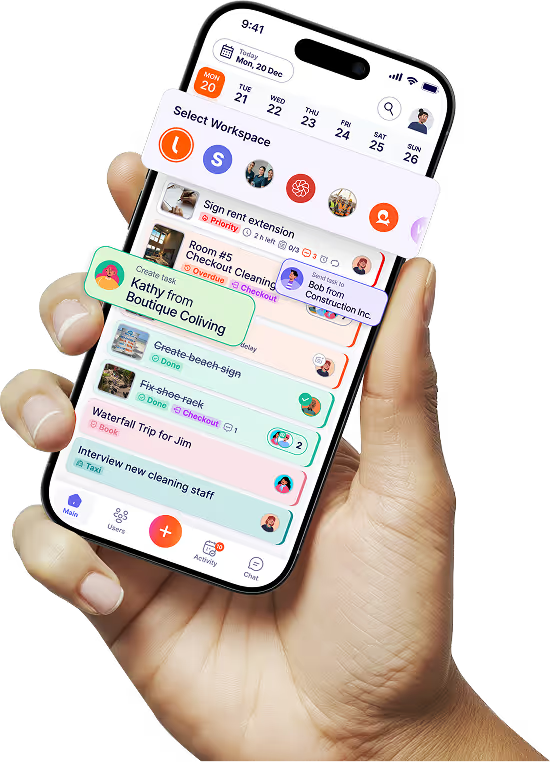

“It affects my personal life a lot. I can manage my team and my work remotely, so I have more time being a mother.”
